SERVICES
FOR BUSINESS





Thank you!
We will call you back.
A simple solution with modern protection against cyber threats
Kaspersky Lab
Cloud solutions for businesses protect against cyber threats, ransomware, and endpoint attacks.
- Full system protection ensures the safety of your files, computers, and mobile devices
- Advanced malware protection prevents cybercriminals from stealing your data
- Network security management ensures information is protected using best practices
Basic Protection
-----------
Protection against mass threats
For companies of any size and industry

Optimal Protection
-----------
Protection against advanced threats
For small companies with basic information security expertise

Expert Protection
-----------
Protection against targeted attacks and APT threats
For medium and large companies with an experienced information security team
All the features you need to protect your business
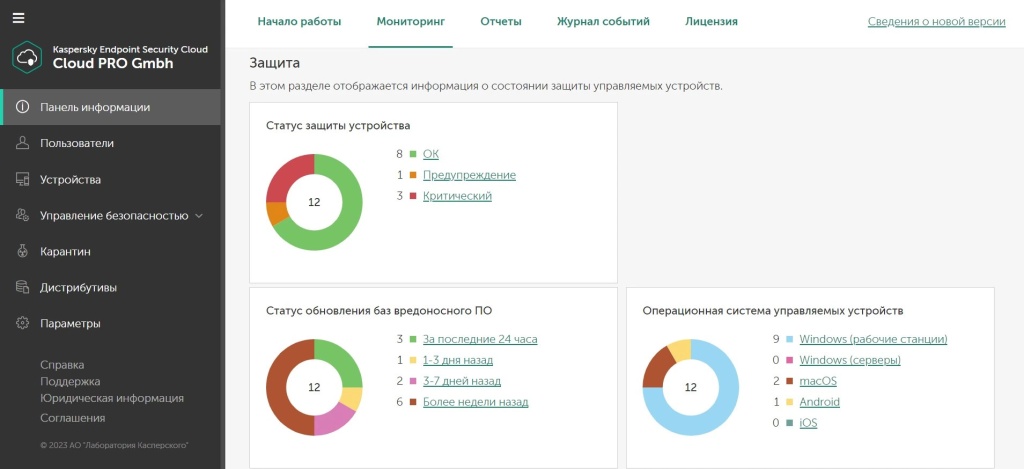
Modern tools for protection Business
- ✔Ransomware Protection. Protect your systems from ransomware and cryptolocker attacks with the rollback module.
- ✔Protection against email, file, and web threats. Block malware and protect corporate systems from advanced cyber threats.
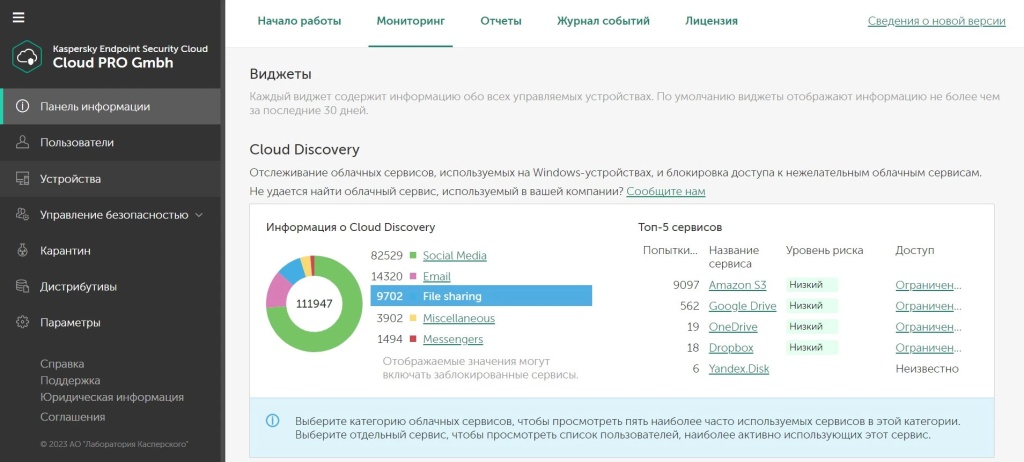
Cloud Control
- ✔Cloud Discovery. Detect and block unauthorized use of cloud services, social networks, and messaging apps.
- ✔Cloud Blocking. Selectively block access to cloud services, social networks, and messaging apps.
Corporate Device and Data Management
- ✔Web Control and Device Control. Restrict access to websites, USB drives, and Wi-Fi networks.
- ✔Data Discovery. Monitor corporate data stored in the cloud to prevent leaks.
- ✔Microsoft Office 365. Protect all Microsoft Office 365 applications from any threats.
Advanced Features
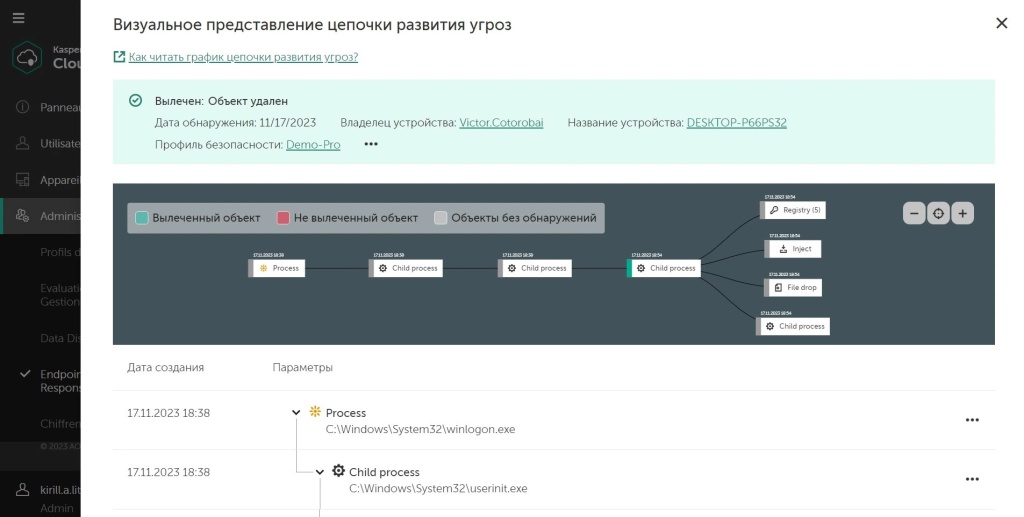
- ✔Endpoint threat detection and response. Respond to cyber threats and block advanced attacks.
- ✔Find indicators of compromise. Take a proactive approach to threat hunting across your corporate IT infrastructure.
- ✔Patch Management. Install the latest updates and security patches on all devices – local and remote.
Additional Cybersecurity Training
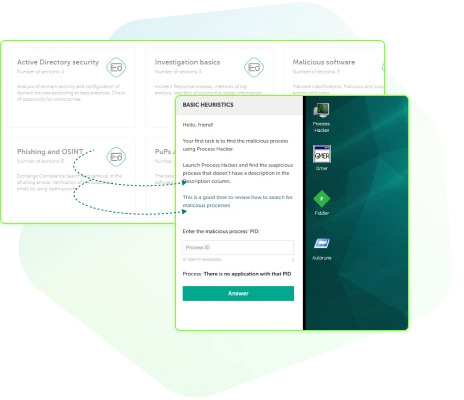
- ✔Continuous Learning. Learn about the latest industry standards in cybersecurity from our team of experts.
- ✔Security Workshops. Raise employee awareness of the latest cyber threats and risks.
- ✔Test Preparation. Get penetration testing tips to help strengthen your infrastructure security.
Frequently Asked Questions
What is Kaspersky Endpoint Security Cloud?
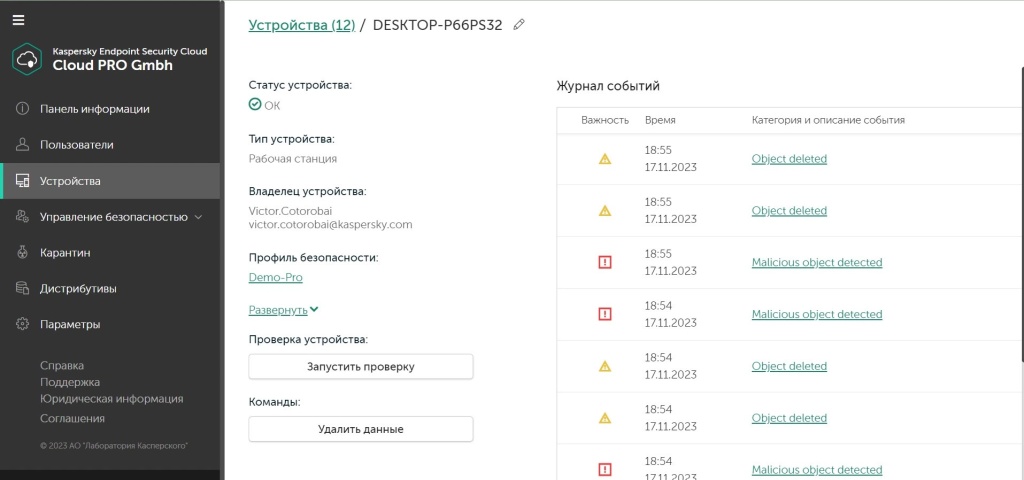
Kaspersky Endpoint Security Cloud offers comprehensive protection for all your devices. Compatible with major operating systems, including Windows, iOS, macOS, and Android, it provides 24/7 protection with advanced security tools and technologies that instantly adapt to your system.
Kaspersky Endpoint Security Cloud features include virus and ransomware protection, a Password Manager, data leak detection, home Wi-Fi network monitoring, hard drive scanning, and Parental Control. You can be confident that your data and online activity will remain confidential.
For example, you'll receive real-time notifications if unauthorized devices connect to your network or if your account data is leaked. The subscription model means the solution is tied to your account, allowing you to change settings from anywhere.
Kaspersky Endpoint Security Cloud features include virus and ransomware protection, a Password Manager, data leak detection, home Wi-Fi network monitoring, hard drive scanning, and Parental Control. You can be confident that your data and online activity will remain confidential.
For example, you'll receive real-time notifications if unauthorized devices connect to your network or if your account data is leaked. The subscription model means the solution is tied to your account, allowing you to change settings from anywhere.
Why does the solution name include the word "Cloud" if it's installed on a device?
The word "Cloud" in the solution's name refers more to the service delivery and security management method than to installation features. Although an application must be installed on each protected device, security management is performed via the cloud. All settings, management, and monitoring tools are accessed remotely via a web console. This model allows us to update the solution in real time, and you to centrally manage security, no matter where your protected devices are located.
How do I update Kaspersky Endpoint Security Cloud?
Updates for Kaspersky Endpoint Security Cloud are automatic, but you can always manually check for updates through the control panel in the web console.
How do I configure web content filtering?
To configure web content filtering, open the web console, go to the security section, select filtering, and configure rules to block unwanted websites.
What data is protected in Kaspersky Endpoint Security Cloud?
Kaspersky Endpoint Security Cloud protects your data, such as documents, photos, personal files, and browser history, and provides protection against viruses, phishing, and ransomware.
Оформление заказа

CLOUD
SERVICES
FOR BUSINESS
COMPANY
SERVICES
CONTACTS
720001, Kyrgyz Republic,
Bishkek, Isanova 105/3, 4th floor, room. No. 6
720001, Bishkek, Isanova 105/3, 4th floor, room. №6